
Can a travel agency update its own online brochure without a monthly subscription?
Yes. A custom flipbook brochure lets a travel agency add or change trips in its own simple admin page, with an 'Ask about this trip' button on every trip and no monthly flipbook subscription. It also replaces posting a new image or PDF every time a package changes.
The situation
I keep seeing small travel businesses post their brochures to Facebook as images. It works, but it’s a lot to ask of the reader: zoom in, squint at the fine print, scroll back for the price, then leave a comment and hope someone sees it.
And every new trip means redesigning and re-exporting the whole brochure.
What I built
So I made a prototype to show what else is possible. Tap the picture to flip through it yourself, on your phone or your computer.
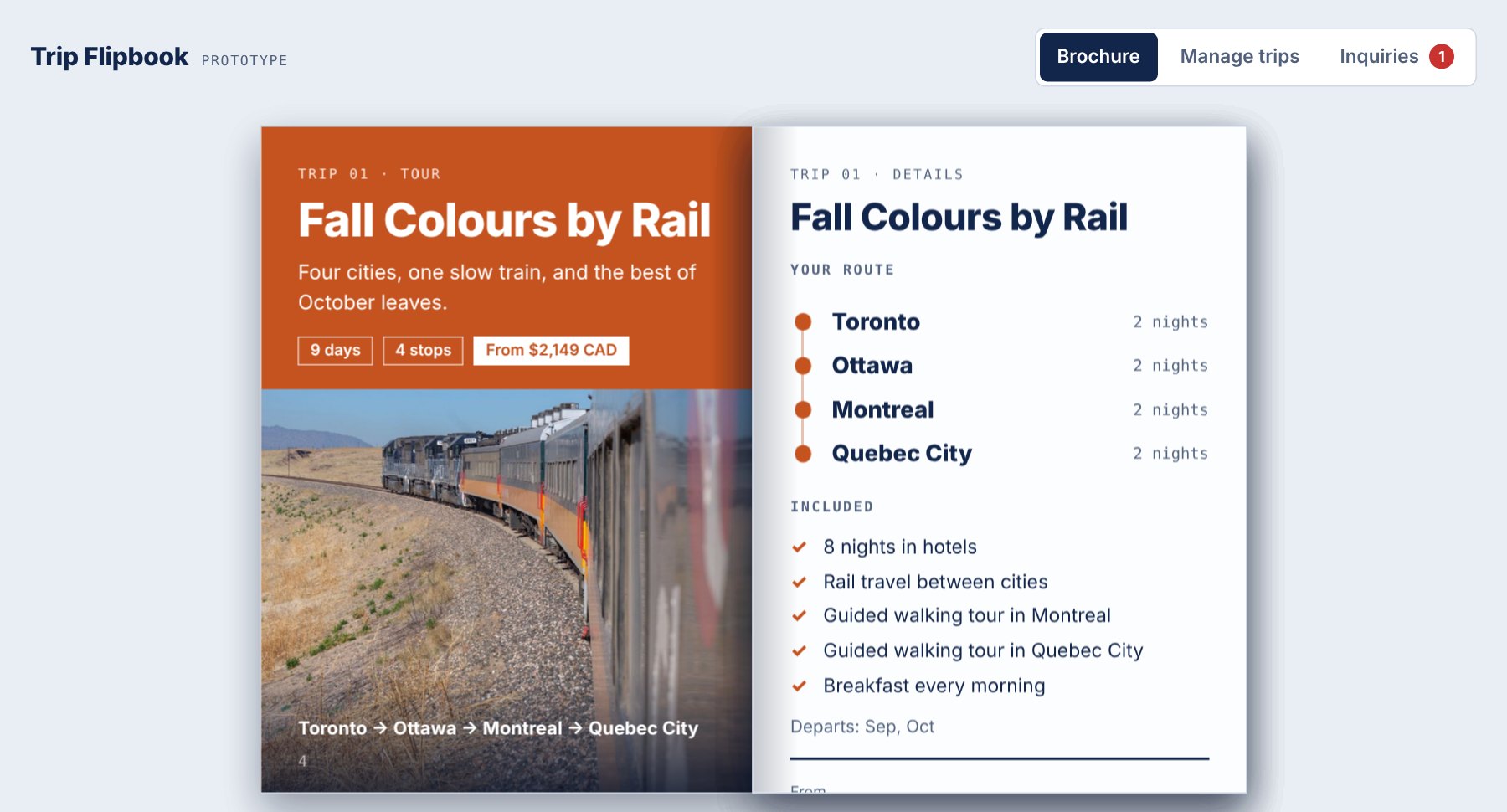 ▶ Click to try the live demo
Opens in a new tab. Flip the pages, open "Manage trips", and send a test inquiry.
- It turns like a real brochure. Swipe on a phone, click or use the arrow keys on a desktop. There’s a full-screen mode for reading comfortably.
- It fits any kind of trip. A rail tour, a Caribbean cruise, a week at an all-inclusive resort, or a flyer someone already designed. The page adapts instead of forcing every trip into one template.
- The owner updates it themselves. The “Manage trips” tab is a plain form: change a price, add a photo, hide a trip that’s sold out, reorder the list. The brochure rebuilds as they type.
- Every trip has an “Ask about this trip” button. Each inquiry goes into one list marked New, Replied or Booked, so nothing gets lost in a comment thread.
- Every trip comes with a ready-to-post Facebook picture. Open a trip in “Manage trips” and you get a share picture built from its photo, name and price, a caption already written, and a link that opens the brochure on that trip’s page. Post it as you like, no design tool needed.
Flipbook tools already exist. Why build one?
They do, and some are good. The catch is that they are built for everyone, so you end up fitting your business to the tool: someone else’s layout, someone else’s branding, a monthly fee that never stops, and inquiries that don’t always connect to the trip someone was looking at.
What I build is cut to the way your agency already works. You get the flipbook and a management page that carries your own branding and only the fields you actually use, so adding a trip feels like filling in your own form, not learning a new product. It’s yours, so there’s no monthly flipbook subscription to keep paying just to keep your brochure online.
What this prototype is not
It’s a demo. The trips and photos are placeholders, and anything you type stays in your own browser. In a real version, the owner would sign in to a simple admin page, and the details would be stored somewhere they never have to open. I’d build that part around how they already work.
The goal isn’t a fancier brochure. It’s one the person running the business can keep up to date without calling me.
Where does the data live, and what does it cost?
Every trip you add has to be saved somewhere. That’s also what lets you reuse a trip next season instead of rebuilding it.
This demo saves nothing outside your own browser. In the version I’d build, the trips are kept in a Google Sheet and the photos in a Google Drive folder, in a Google account you already own. You never open the sheet. You only use the admin page.
At the size of a travel agency’s brochure, that’s free. A trip is a few lines of text, so a few hundred trips take less space than one photo. What’s left are ordinary costs: a domain name and, if the brochure isn’t on your existing site, hosting.
If an agency needs something bigger, like many staff logging in or thousands of inquiries, a dedicated database service may make sense. Those often start free but can cost more as use grows, so I’d tell you that before building anything.
Old trips stay saved. Hide one when the season ends, and in the version I’d build, copy it as the starting point for next year’s departure.
Is this worth building for your business?
If you publish menus, price lists, schedules or packages as images or PDFs and re-do them every time something changes, there’s probably a small, custom-fit piece that fixes just that. I’m happy to look at what you have and tell you honestly whether it’s worth building.
I’m a UI/UX designer in Melville, Saskatchewan, building custom web tools for small businesses.
Related: My Google Form handles bookings fine — do I need a new booking tool?