
Could one small feature, an easy way to invite friends and family, help a movie theater stay open?
A self-initiated redesign of a movie theater's website. People can watch movies at home, even on their phones, so I wondered if one small feature, an easy way to invite friends and family, could help a theater keep its doors open. Plus trailers on the page and a simple dashboard for the owner.
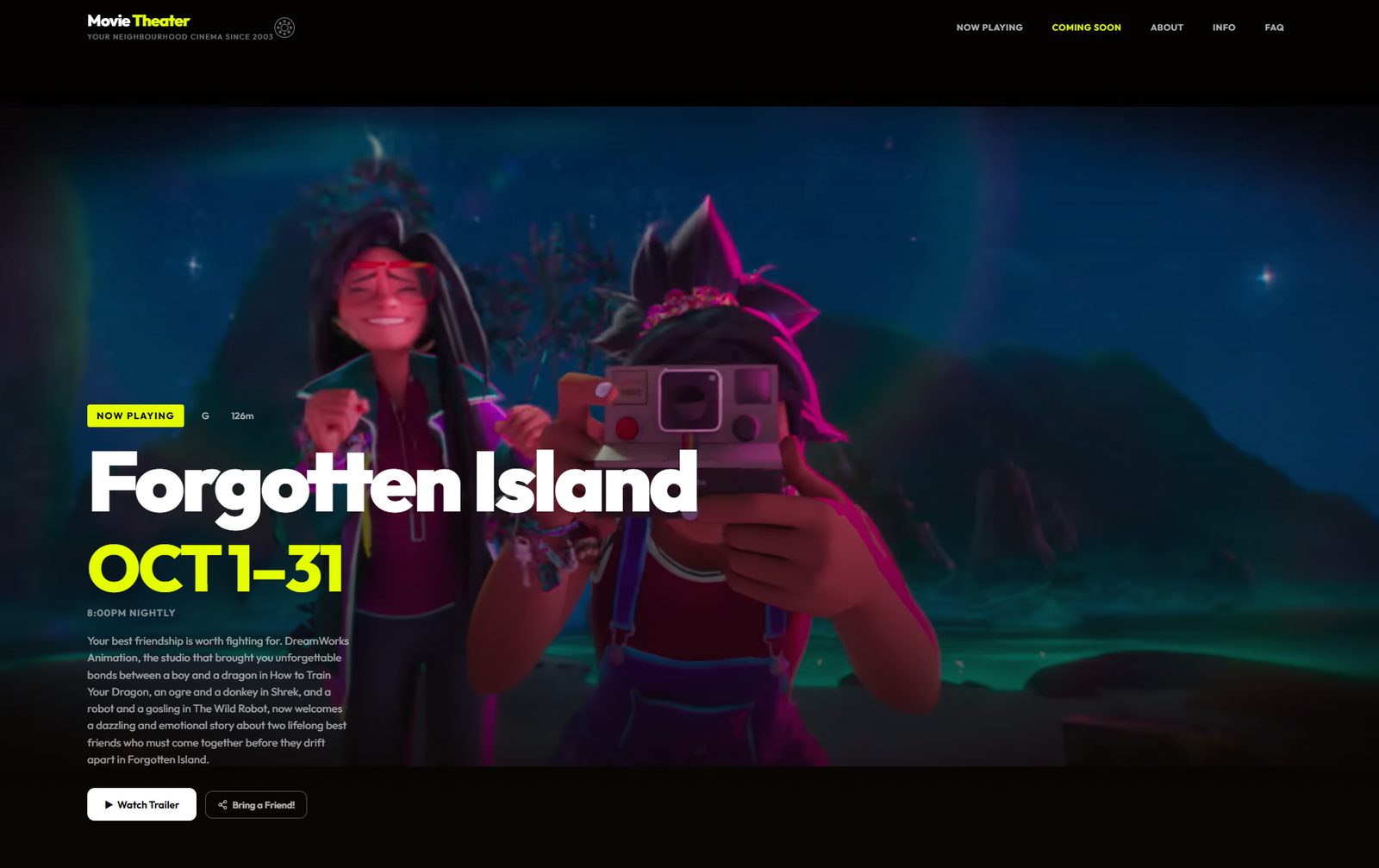
A self-initiated project. I made it to practise, not for a client, and the theater name and details on the demo are made up.
The starting point
These days, a lot of people watch movies at home, on a TV or streaming service, or even on their phones. Fewer people go to the theater, and I imagine it’s even harder for a small-town one. I like the idea of a theater staying open, so I wanted to see whether one small feature could help, even a little. This is something I tried, not a proven fix.
The site I started from was a classic small-town theater site: simple, familiar, and updated entirely by hand. So the question I started with was: how can this theater keep running? How can more people find it, and keep coming back? I don’t have a definite answer, and a website can’t fill seats by itself. But I wondered if it could make it a little easier to decide to go, and to take someone with you.
How I built it
I followed the same five steps I use on every project.
Empathize
I looked at the old site the way a visitor would, and thought about what it’s like to keep it up to date by hand. Then I asked what would make a small-town theater a place people actually want to visit, and what would bring them back.
Define
Three problems stood out, and each one connects to that question:
- Extra steps. You find the movie title on the site, then leave for YouTube to watch the trailer.
- No easy way to invite someone. Most people go to the movies with someone, and a small theater may grow when people bring others. But if you want to see a film with a friend or your family, you have to message them yourself.
- Updates done by hand. Every new film means editing the site, so it’s easy to fall behind.
Ideate
- A fresh, modern look.
- The trailer plays right on the page.
- A Bring a Friend button, my idea for the main question: make it easy to invite a friend or family member, or share a film on social media, so each visitor might bring someone along.
- A simple dashboard: add a title, a trailer link and the dates, and the site updates itself.
Prototype and test
I used AI as a tool to build a prototype quickly. To test it, I made up a visitor, a persona, and mapped out how that person would use the site from start to finish. This was a desk test, not a test with real visitors.
Implement
I built the final site and the dashboard, and put the demo online.
What it looks like
The new site opens on the film that’s playing now, with the dates and showtime, a trailer button, and the Bring a Friend button.
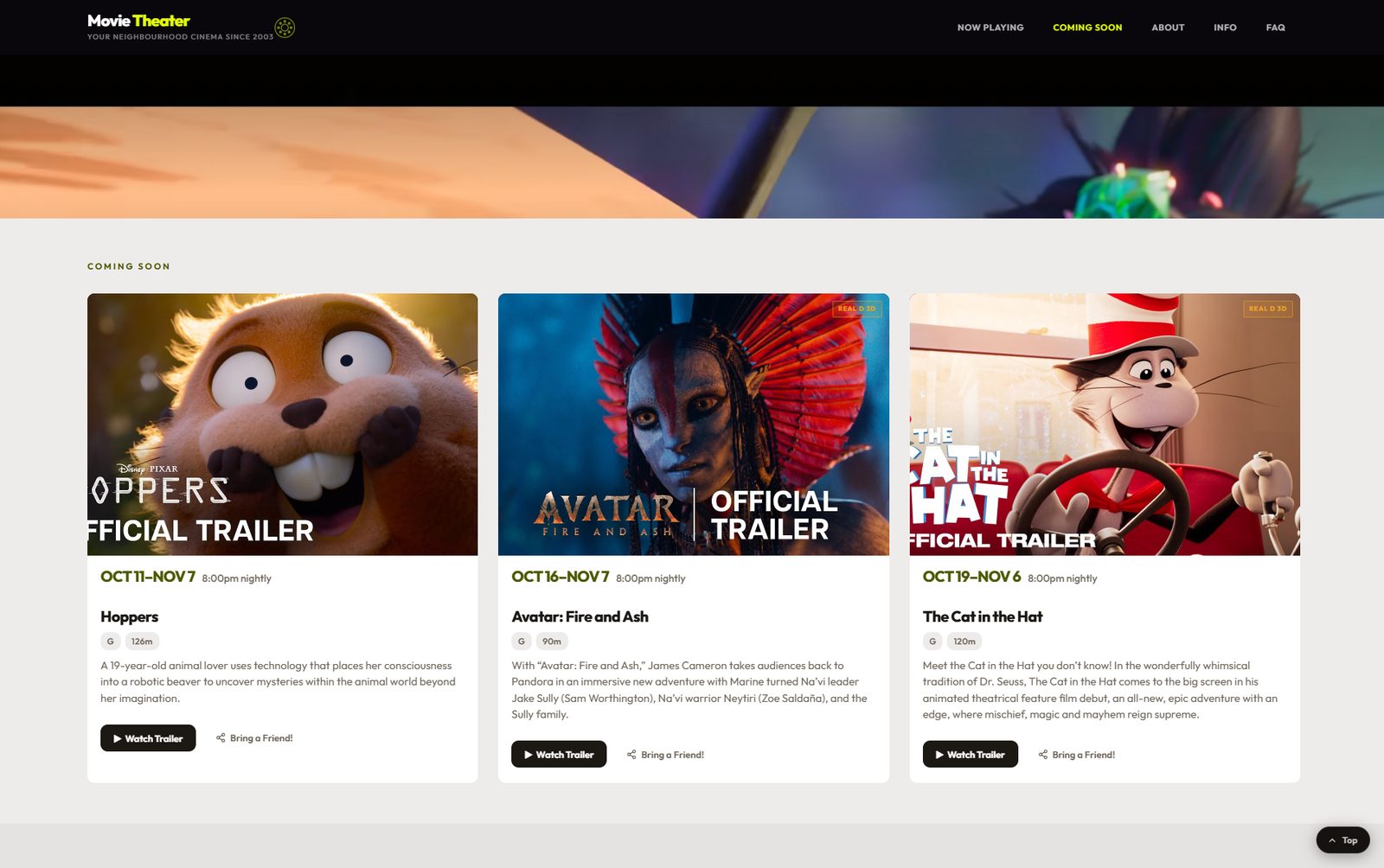
Films that are coming soon sit in cards below, each with its dates, a short description, and the same two buttons.
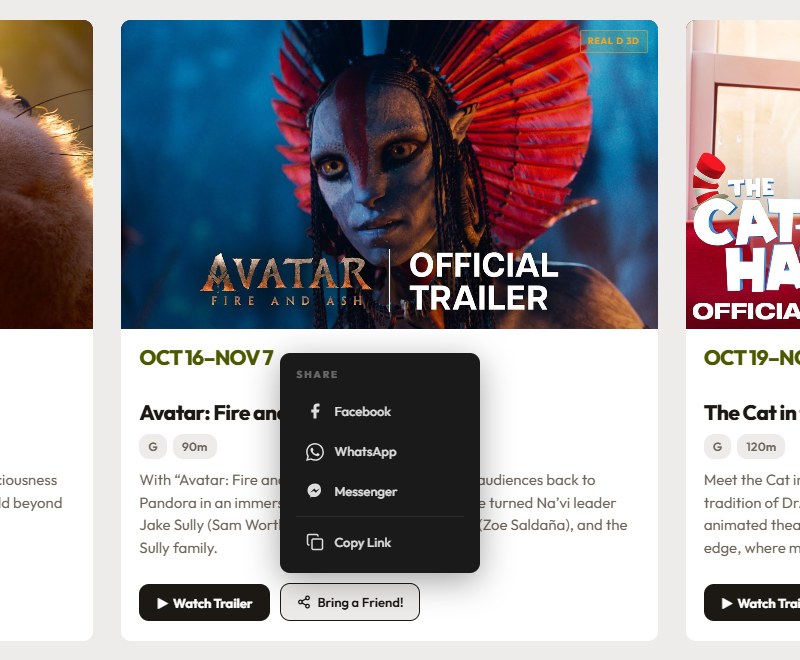
Bring a Friend
This feature came from the starting question. I can’t say it will bring more people, since I haven’t tested it with real visitors. But most people go to the movies with someone, so it seemed worth trying: if the people who already come can easily bring others, that might help a small theater. So next to every film there’s a Bring a Friend button. Tap it and a small menu opens with the ways people already share things: Facebook, WhatsApp, Messenger, or copying the link. It works for inviting one person or sharing with everyone on social media. The link is for that film, so the person who receives it lands on the right movie, with the trailer one tap away.
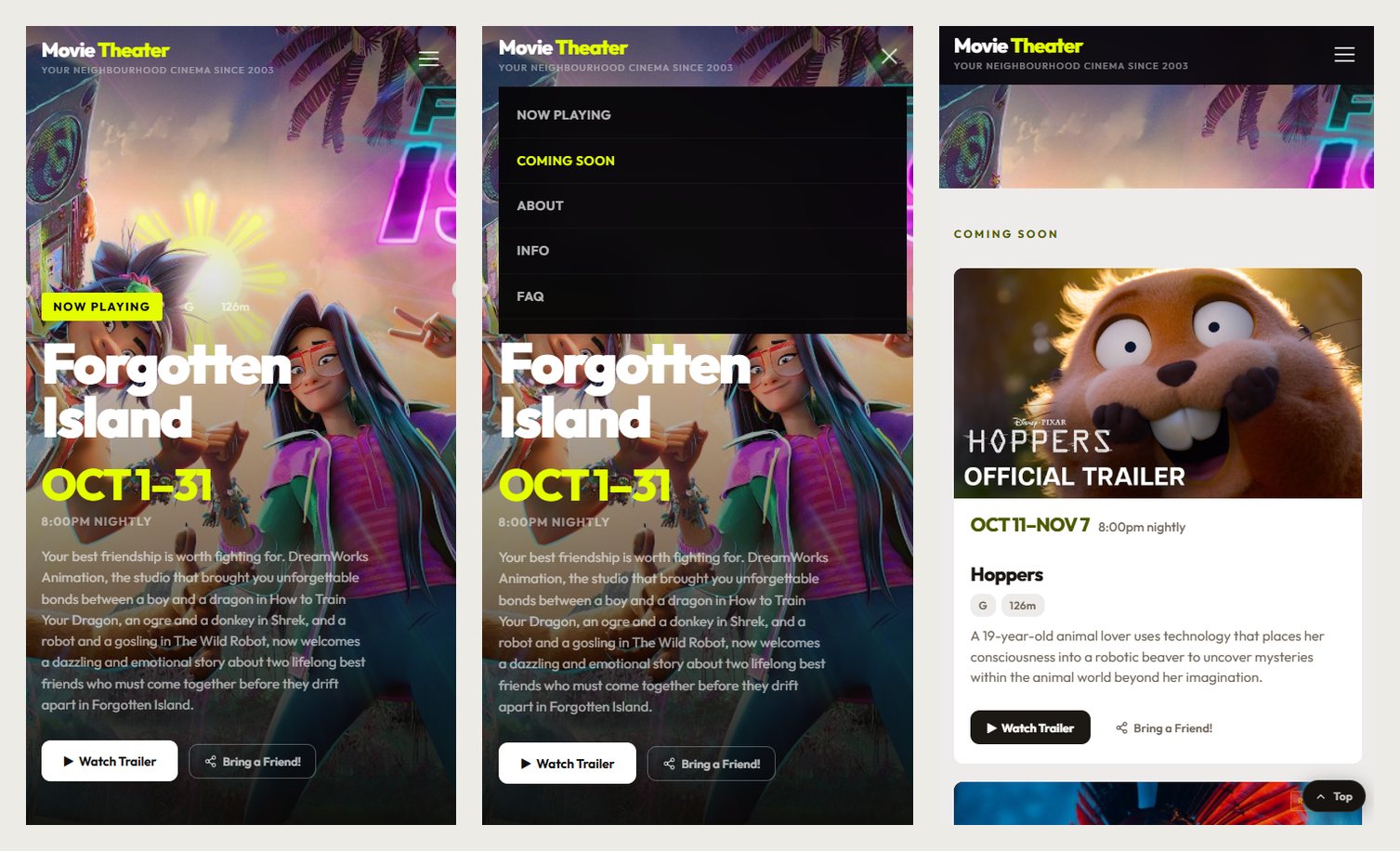
On a phone
A lot of people will open this from their phone, so I designed the phone view with the same care as the desktop. The menu folds into one button, the film titles stay large, and the trailer and Bring a Friend buttons are easy to reach with a thumb.
The dashboard
Instead of editing the site by hand, the owner uses a simple dashboard. It shows how many films are registered, what’s playing now, what’s coming soon, and which film is up next. Tap a film to edit it, press Add new film to add one, and press Save & Deploy: the website updates in about 30 seconds. Films whose end date has passed are cleared automatically.
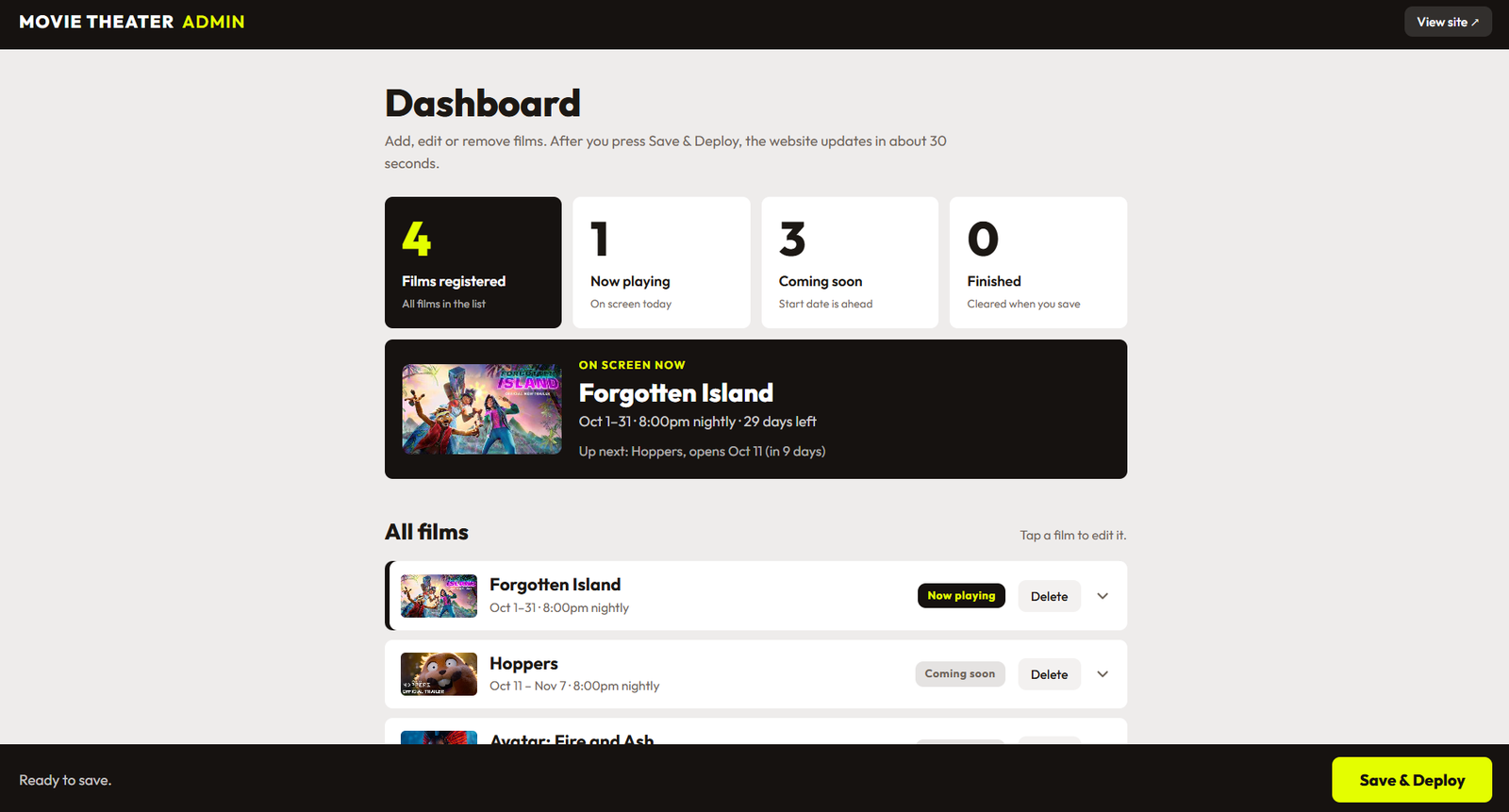
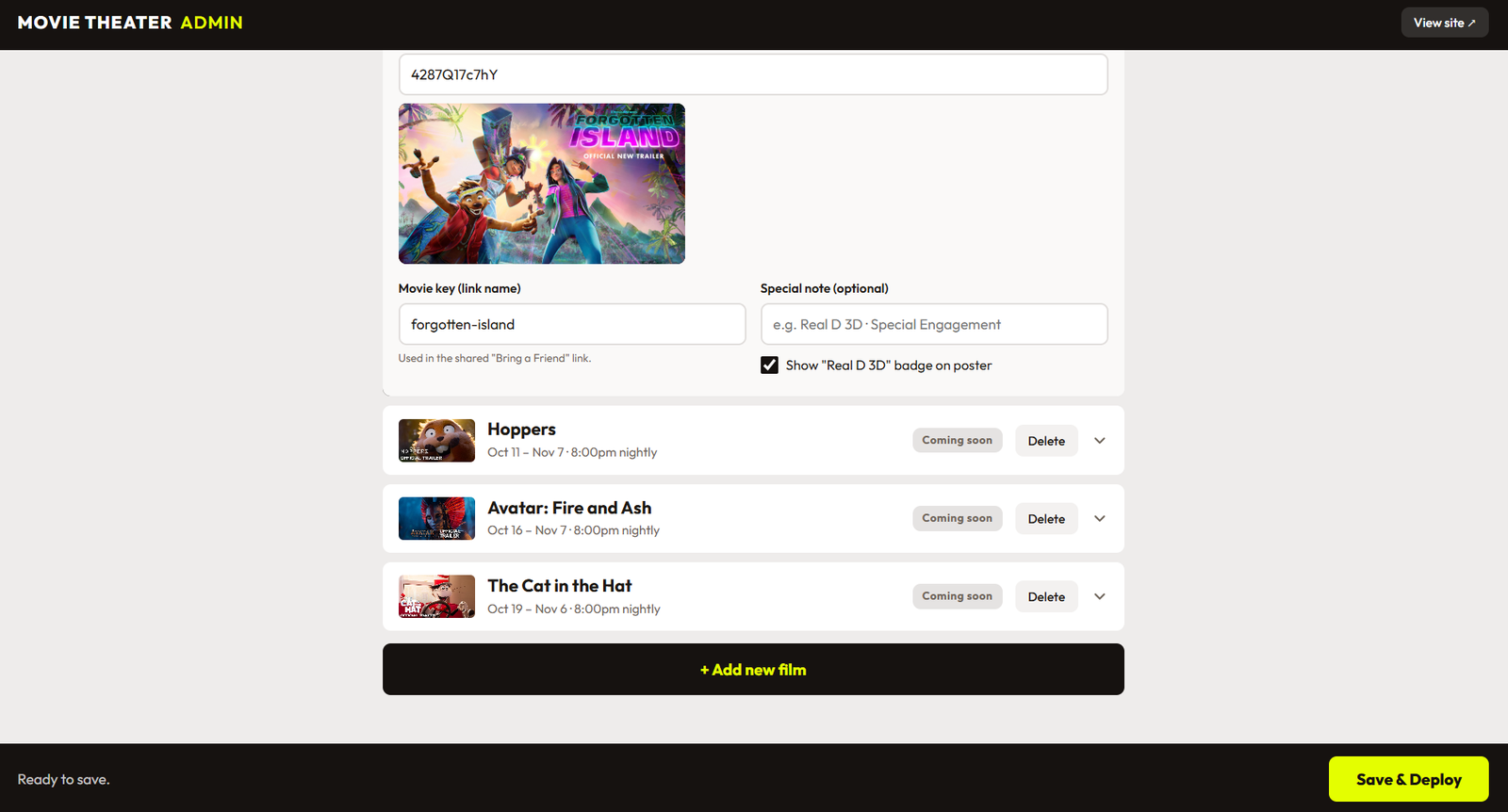
Adding a film takes a few fields: the title, start and end dates, showtime, rating and the trailer. A preview of the poster appears right away, so you can see that you got the right one. An optional special note and a badge can mark things like 3D.
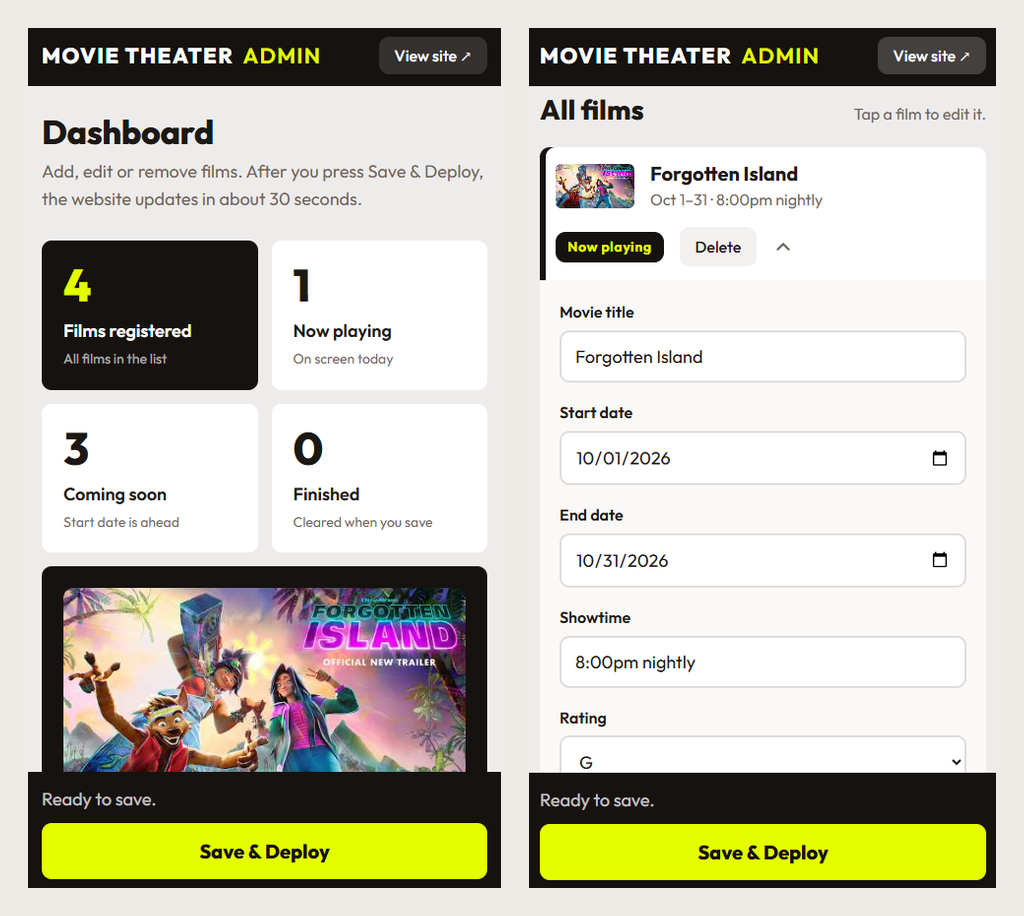
The dashboard works on a phone too. The Save & Deploy button stays at the bottom of the screen, and the fields are large and easy to tap.
Try it
The demo is live. Open it on your phone and your computer, and try the Bring a Friend button.