
Could a small town run its own Halloween home tour map?
Yes. It takes a short sign-up form, a staff approval step and a map, and none of it is hard to build. Small towns often don't have the budget or the staff to take it on, so I built a prototype to show how it could work: residents sign up without logging in, and staff approve every entry before it appears.
Why I built it
A city nearby runs a Halloween home tour: families sign up their decorated house, and everyone gets a map to drive around on the night. A small town has far fewer homes, but a tour of a dozen glowing porches is exactly the kind of thing a small community does well.
Halloween is close, so instead of just suggesting the idea, I built a working prototype first. It shows what the sign-up and the map could look like, so a town can see something real before deciding whether to run it.
Here is why I do this. Larger cities and towns with a budget can pay a team to build tools like this. Small towns often cannot, or they don’t have the staff or the time to take it on, even though the feature itself isn’t hard. So I build the prototype first and share it. It shows a town that if it wants to try something like this, it can.
What it does
The prototype has three views. You can click through all of them yourself. Everything on it is example data, and nothing you type is saved.
- Add my home. A resident enters their name, email, address and a short note, and uploads up to three photos of their decorations. The form says plainly that submitting means agreeing to show the home’s location and photos publicly on the tour map.
- Tour map. Approved homes appear as small ghost pins on a map of the town. Click a pin and a speech bubble opens right beside it with the address, the note and the photos. Tap a photo to see it large, and it works in full-screen too.
- Staff view. A town staff member or volunteer reviews each entry and chooses Approve, Hide or Remove. Nothing shows on the public map until it is approved.
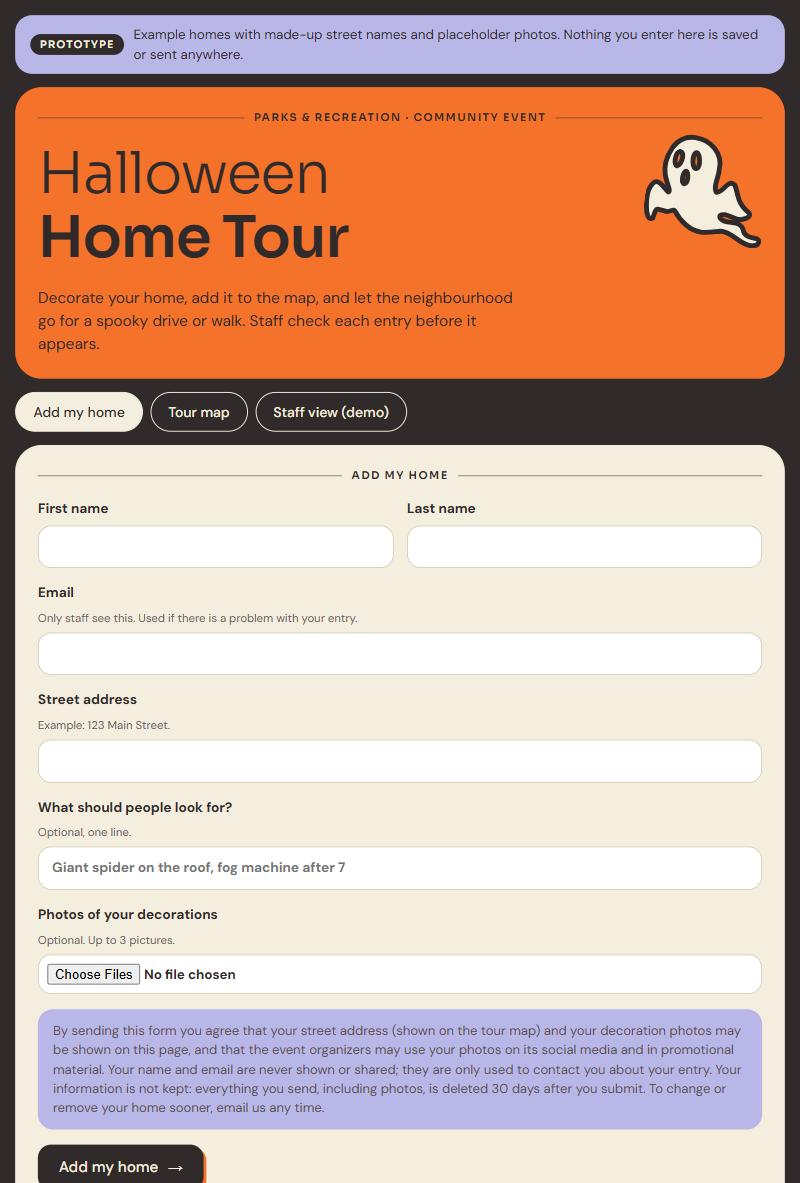
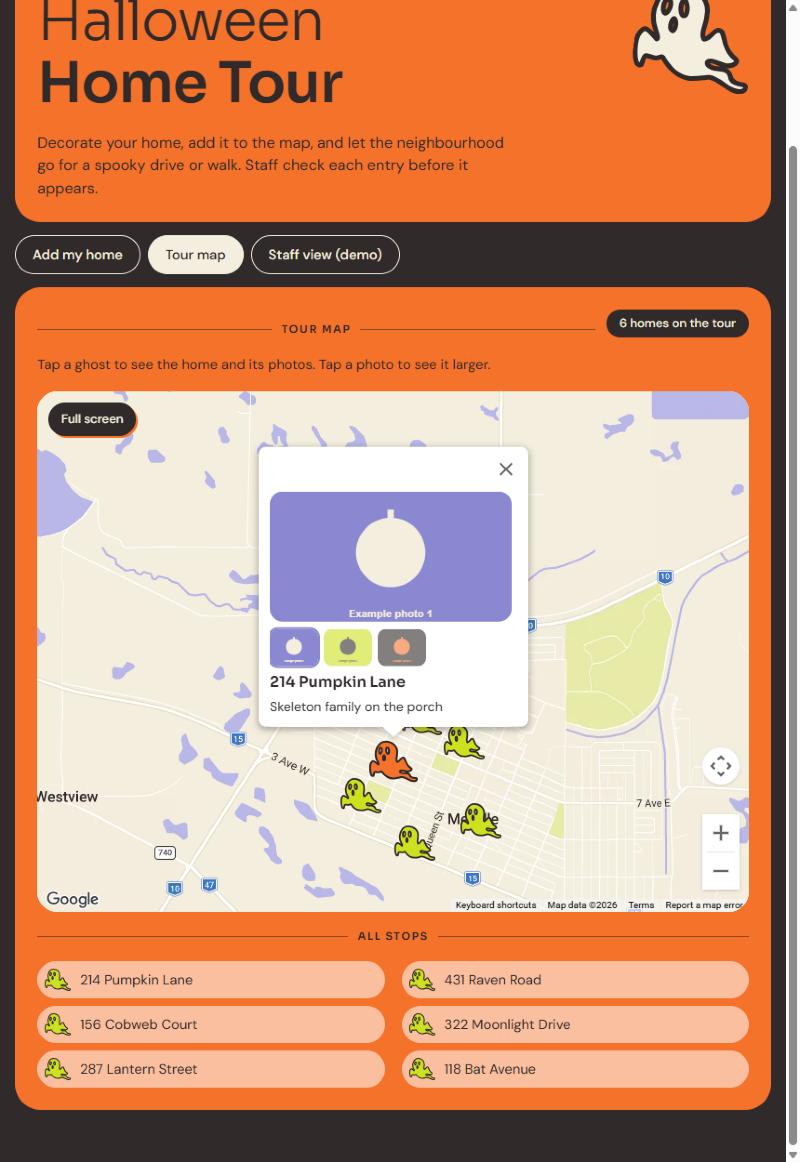
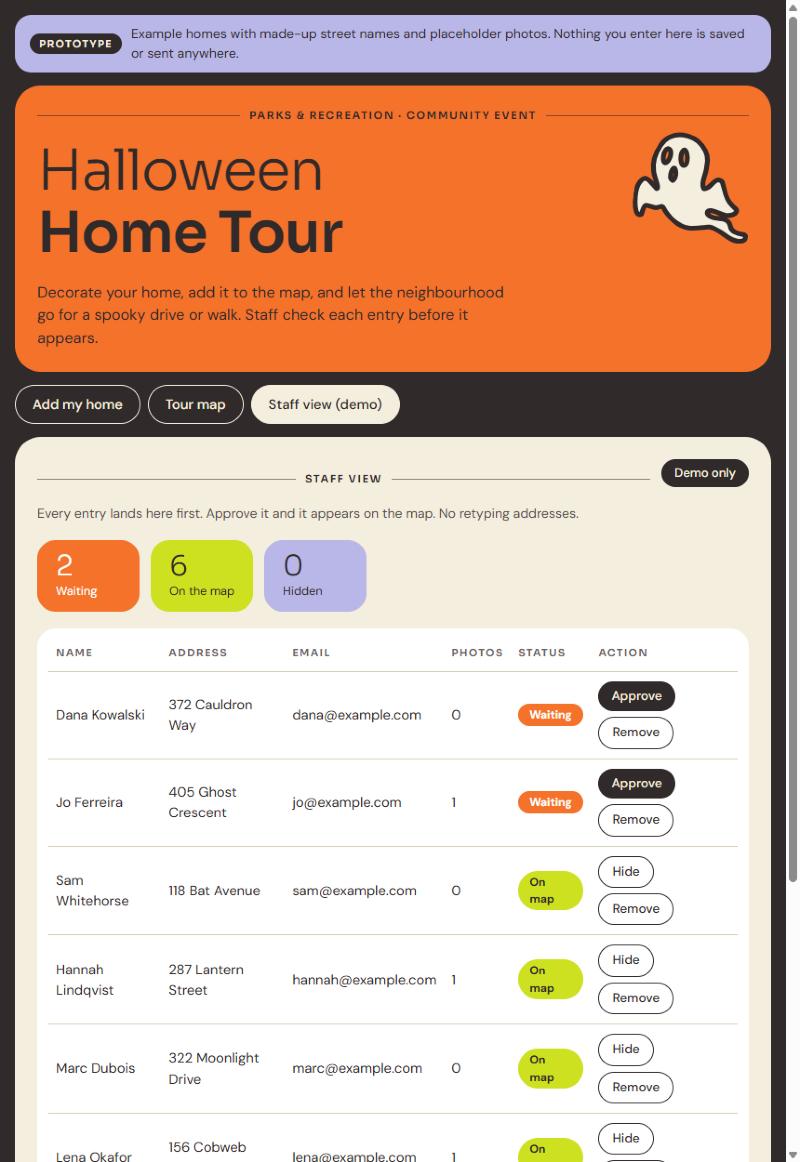
Every home on the demo is made up, with invented street names and placeholder photos.
Tech stack
The prototype is one lightweight page with no framework, so it loads fast on a phone and is easy to hand over.
- The page. Plain HTML, CSS and JavaScript in a single file. It’s small and fast, with nothing to install or maintain.
- The site. Astro, deployed through GitHub to Netlify, the same setup as the rest of my site. The demo page is hidden from search engines.
- The map. Google Maps JavaScript API with a custom style. Residents already know how it behaves, and the key is locked to my domain and capped per day.
- The pins. A custom ghost icon drawn as SVG, so it stays crisp at any size with no image files.
- The data. Held in the browser for now. That’s enough to show how it works, but nothing is saved.
What a live version would add:
- A small database and photo storage, so entries are saved.
- A staff login, so only town staff can approve entries.
- Email notices for new sign-ups.
- Spam protection on the form.
- Address lookup, so each home lands on its real spot.
- A separate public page (form and map) and staff page, restyled to match a town’s own site if it likes.
Design choices and what I learned
- Consent is part of the form. Putting a home on a public map is a real privacy decision, so the sign-up says exactly what will be shown, and staff approve every entry before it goes live.
- Applicants are told how their data is handled. The sign-up says plainly that the information is not kept: everything, including photos, is deleted after 30 days.
- No login for residents. Signing up needs no account or Google sign-in, so nobody gives up halfway. Protection comes from the staff approval step, and a live version would add a bot check and limits on repeat submissions. Only staff sign in.
- Small town, small tool. With a few dozen homes at most, there is no need for accounts or filters. A short form, one map and one approval step are enough.
- Photos matter most. People come to see the decorations, so each pin opens a bubble with up to three photos that enlarge, and the viewer still works in full-screen.
- AI is a tool, not the author. I used AI assistance to build this quickly. I made the design decisions and reviewed and tested every part myself.
- Both journeys work smoothly. I thought through the resident’s path (sign up, add photos, see the map) and the staff member’s path (review, approve, hide) together, so each one feels simple from start to finish.
Where it stands
This is a prototype with example data only. It does not collect real information, and it is not an official event. The idea is that a town hosts the tour itself, with its own staff approving entries, and I build the tool around how that town already works.
If a town wants to run it, the next step is turning the prototype into a working version, with real storage, a staff login and the town’s own look, and agreeing together on a few details such as who approves entries and how long photos are kept. Either way, this note stays as a record of the idea.
If your town, club or organization runs an event that starts with a sign-up form and a spreadsheet, I’m happy to look at what you have and tell you honestly whether a small custom-fit piece would help.
I’m a UI/UX designer in Melville, Saskatchewan, building custom web tools for small businesses.
Related: Can a travel agency update its own online brochure without paying a monthly fee?